A smarter scan
Capture receipts with auto-cropping, perspective correction and on-device text recognition.
 iPhone & iPad
FINANCE
From paper to perspective. Scan receipts, organize expenses and export on your terms.
Download on theApp StoreExplore the help manual →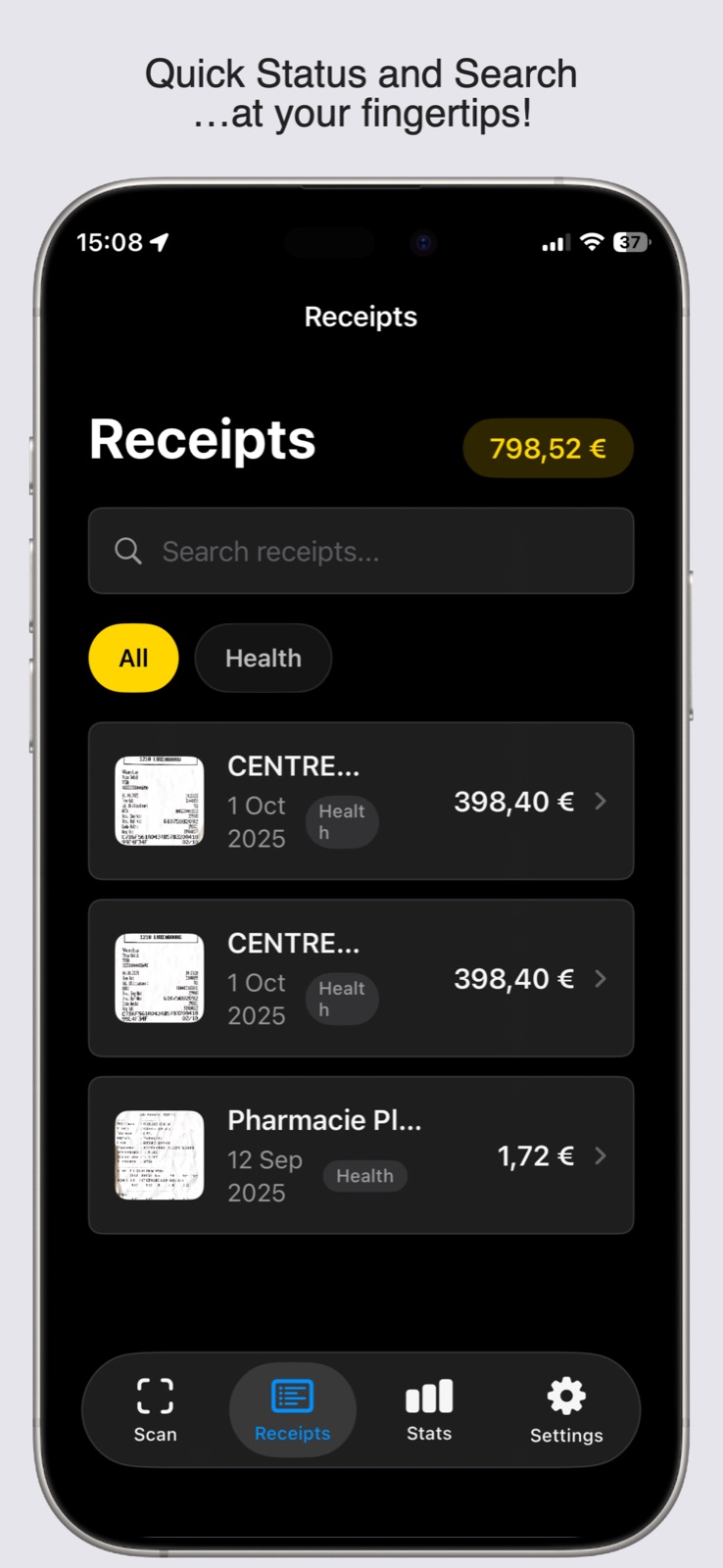
TAKE A CLOSER LOOK
THOUGHTFUL BY DESIGN
Give your receipts a place to land. Scan, read and categorize expenses with on-device tools, then export the information you need.
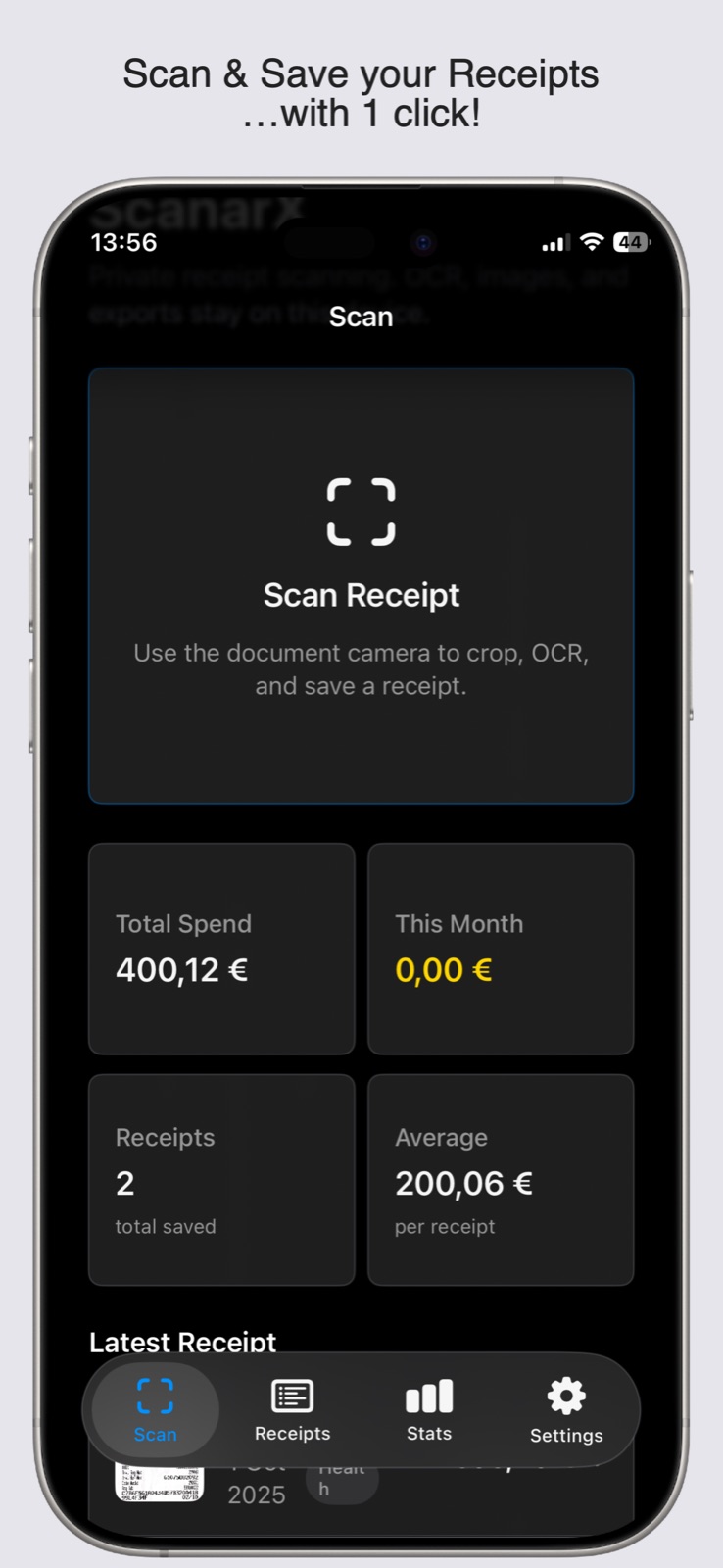
Capture receipts with auto-cropping, perspective correction and on-device text recognition.
Parse totals, dates, merchant names, taxes and payment methods from your receipts.
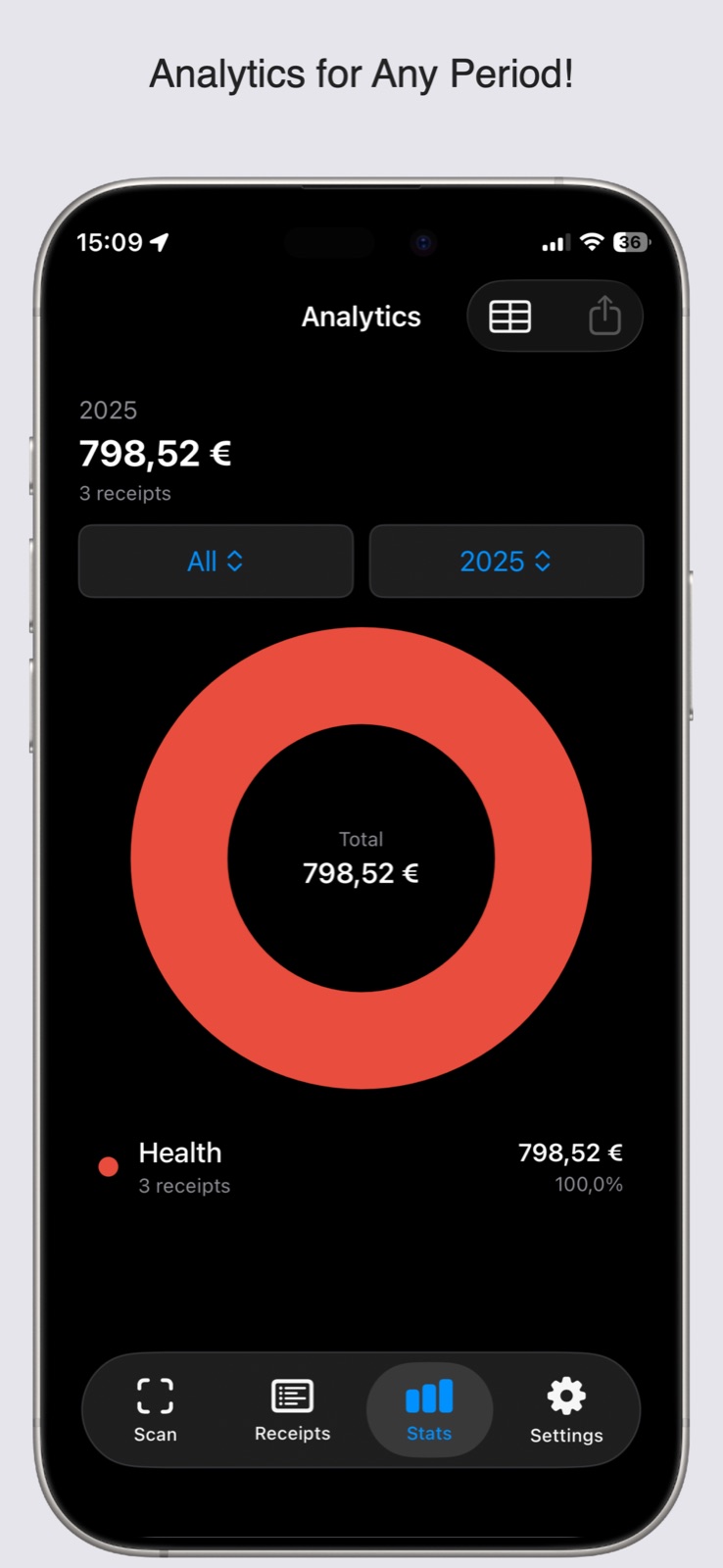
Review category analytics and explore expenses by month, year or category.
Export CSV or PDF files, or share receipt images and recognized text.
No. The supplied documentation describes a one-time paid app.
Yes. Scanning, OCR and parsing run on device. Any optional network features are opt-in and disclosed before use.
Use Settings → Data → Clear All Receipts. Exported files remain in the destination you selected.
YOUR DATA, YOUR CHOICE
Receipt scanning and OCR run on device. Your data stays local by default; optional exchange-rate or cloud services are opt-in.
Read privacy policy →A HUMAN ON THE OTHER END
Questions, feedback or something that isn’t working? Get in touch.
Open email ↗yetanotherswift.app@gmail.com