Start with a canvas
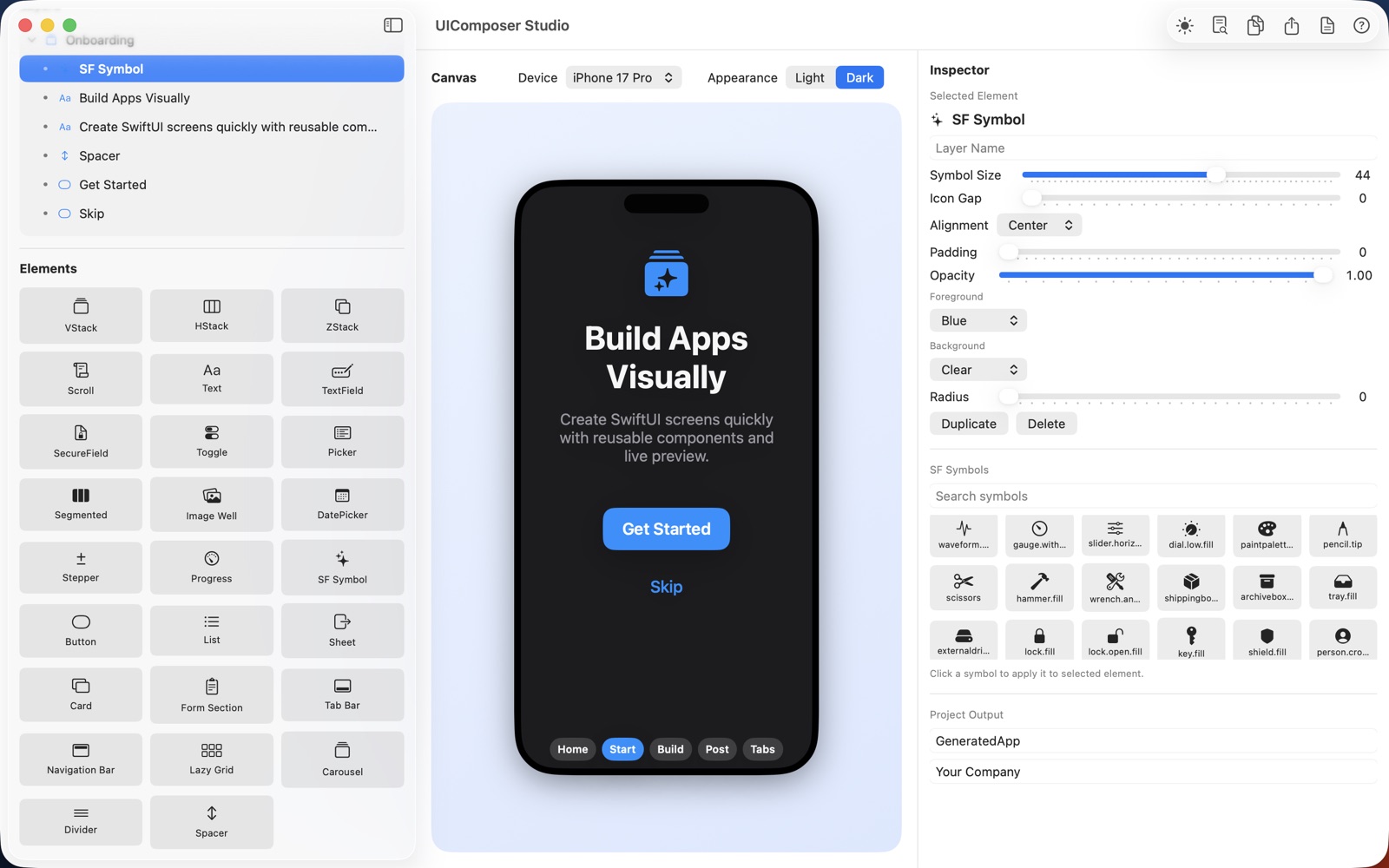
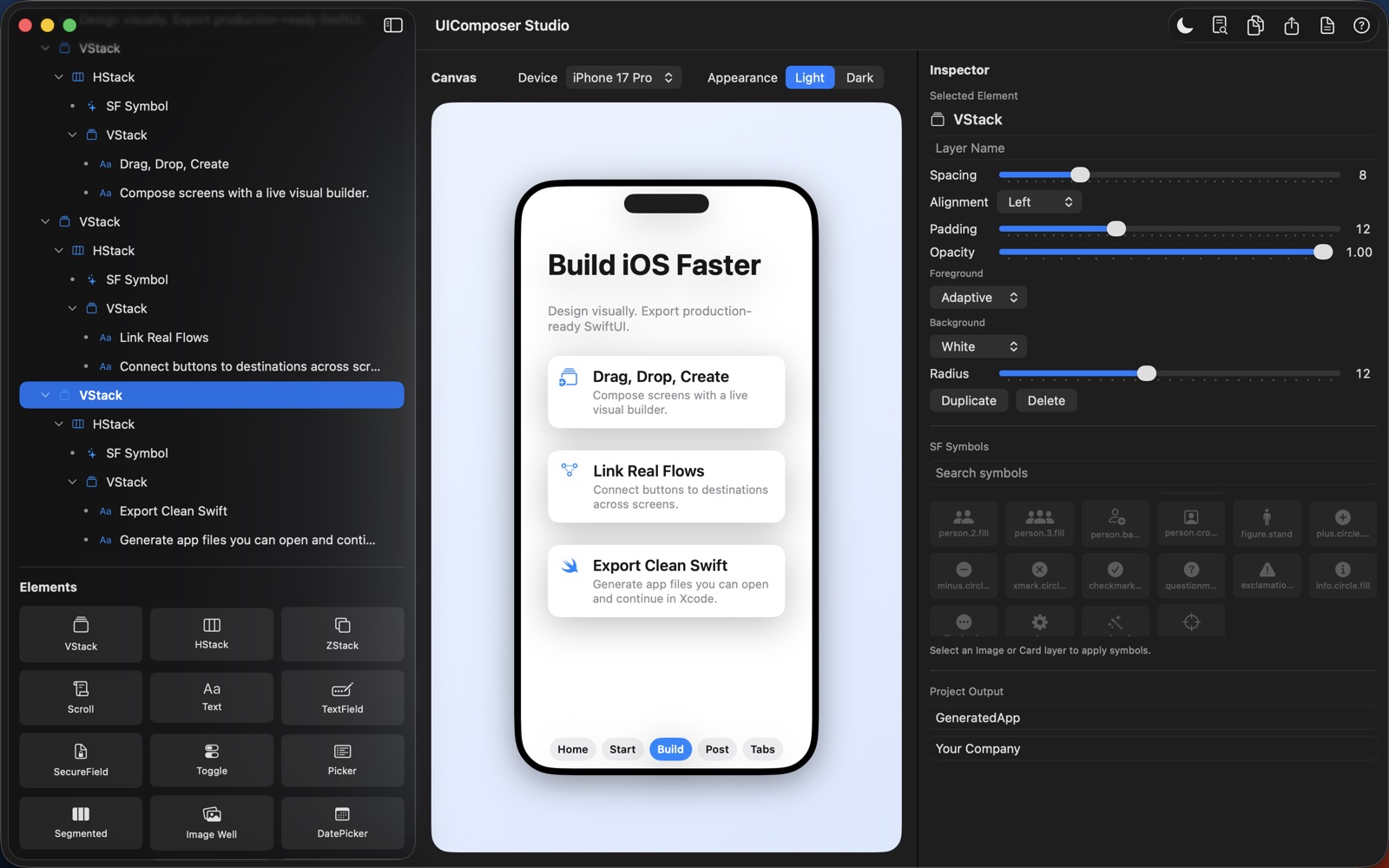
Build screens with templates, a layer tree and inspector controls for text, spacing, colors and more.
 Mac
MacDEVELOPER TOOLS
From an idea to an interface. Design iOS screens visually and export SwiftUI.
Download on theApp StoreExplore the help manual →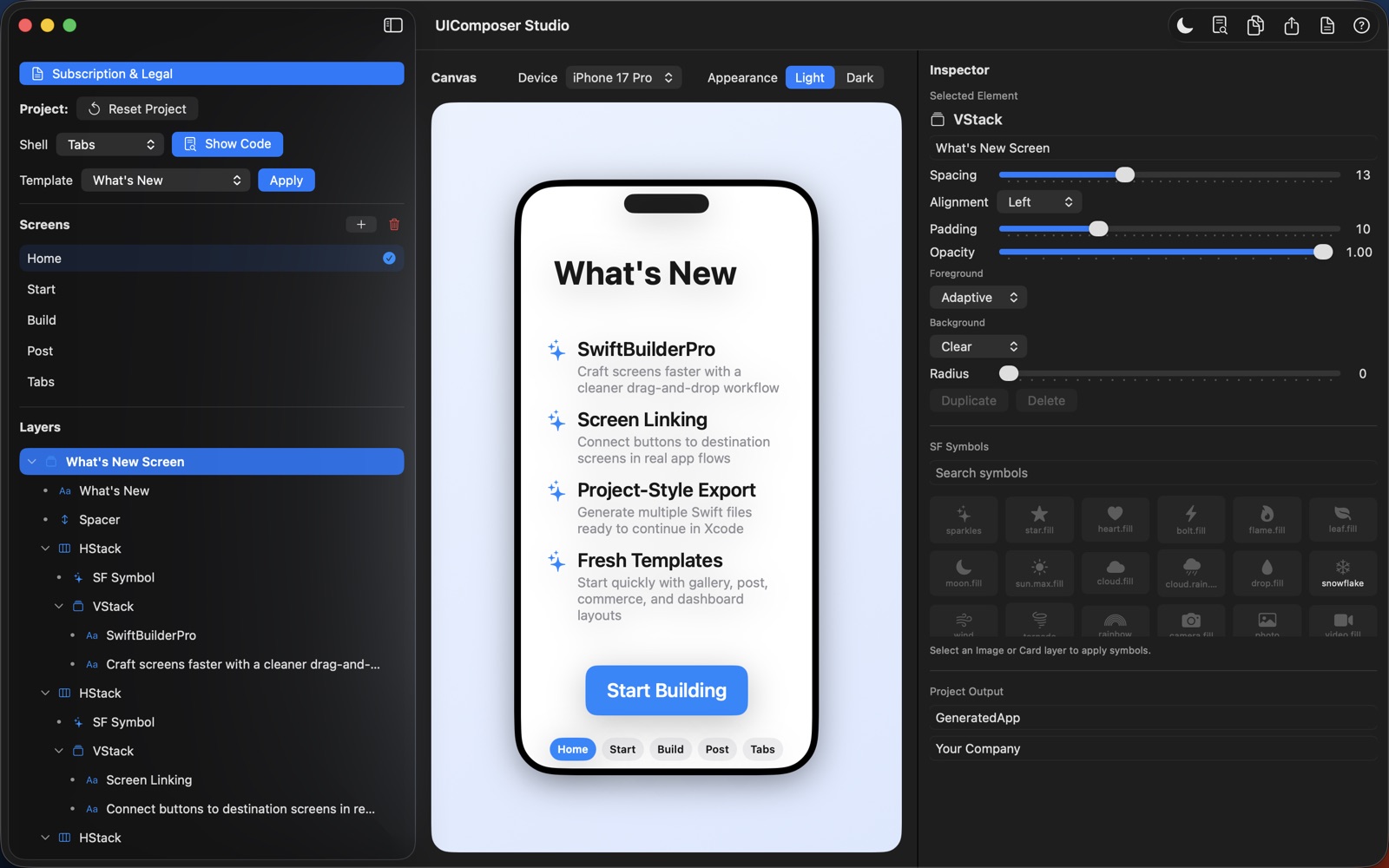
TAKE A CLOSER LOOK
THOUGHTFUL BY DESIGN
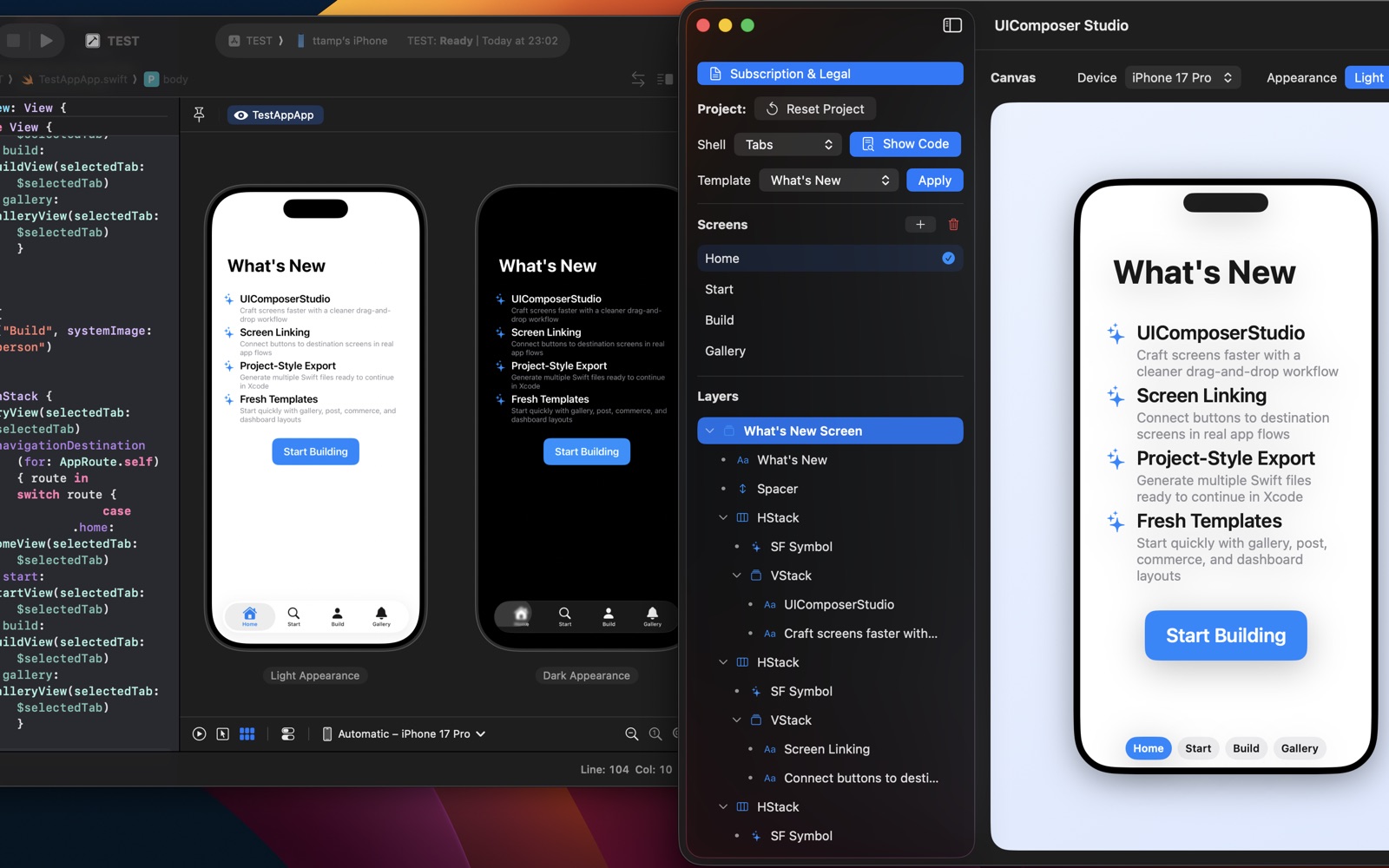
Make your next interface tangible. Build iOS screens on a visual canvas, try them in device previews and take generated Swift files into Xcode.
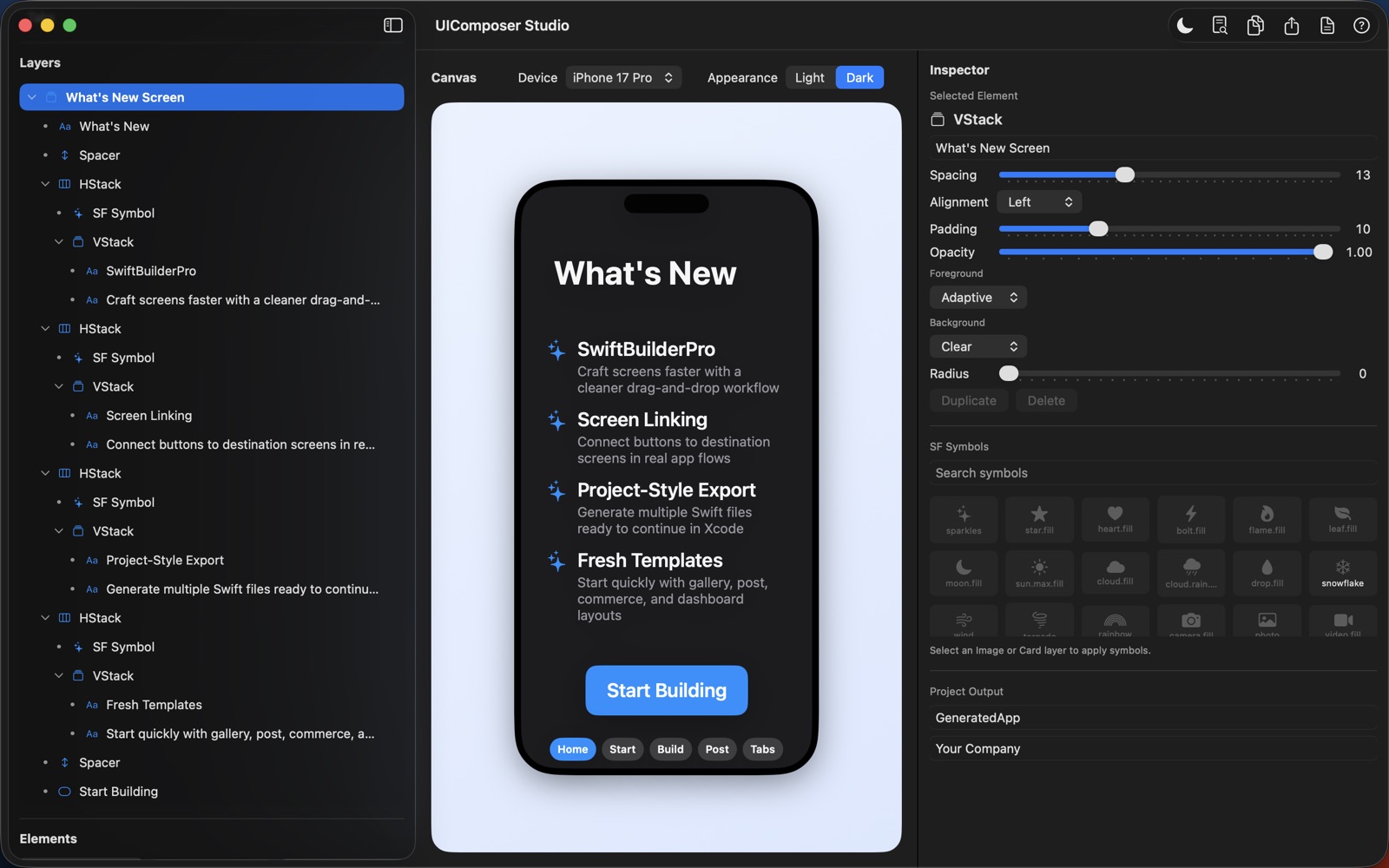
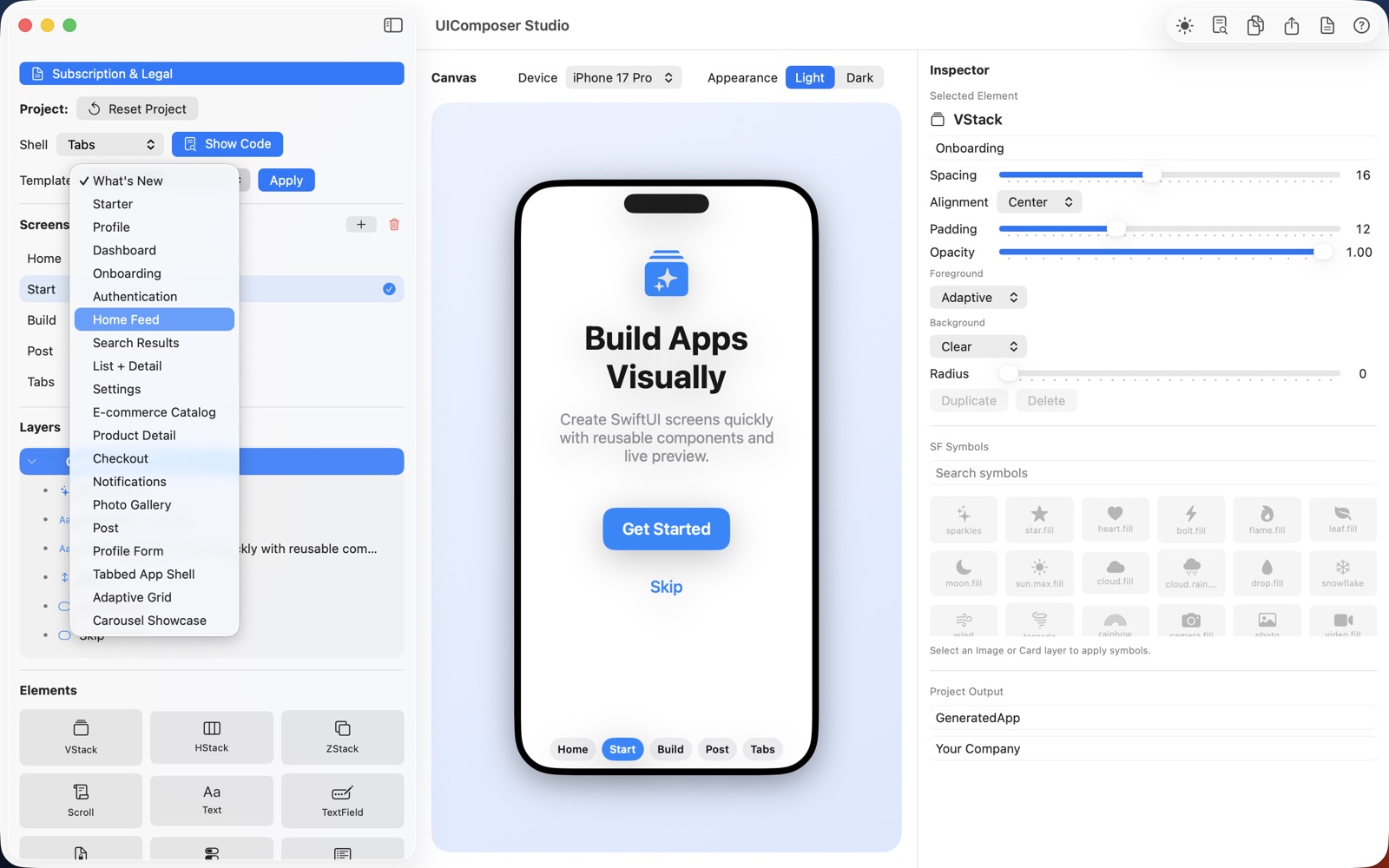
Build screens with templates, a layer tree and inspector controls for text, spacing, colors and more.
Add screens and connect buttons into navigation flows with Single, Navigation or Tabs shells.
Preview screens in iPhone frames and explore light and dark appearances.
View generated SwiftUI, copy it or export Swift files. Pro unlocks the full export workflow.
ROOM TO GROW
THE ESSENTIALS
MORE POSSIBILITIES
Current pricing and availability are shown in the App Store. Feature details are listed in the Help manual.
No. Build screens with the visual canvas, templates and inspector.
Yes. UIComposer Studio generates SwiftUI and offers Swift file export. Pro unlocks the full export workflow.
Monthly and yearly options are managed through Apple subscription settings. Restore Purchases is available in the app.
YOUR DATA, YOUR CHOICE
Projects and workspaces are stored on your Mac. Apple processes subscription billing. No cross-app advertising tracking or sale of personal data.
Read privacy policy →A HUMAN ON THE OTHER END
Questions, feedback or something that isn’t working? Get in touch.
Open email ↗yetanotherswift.app@gmail.com